


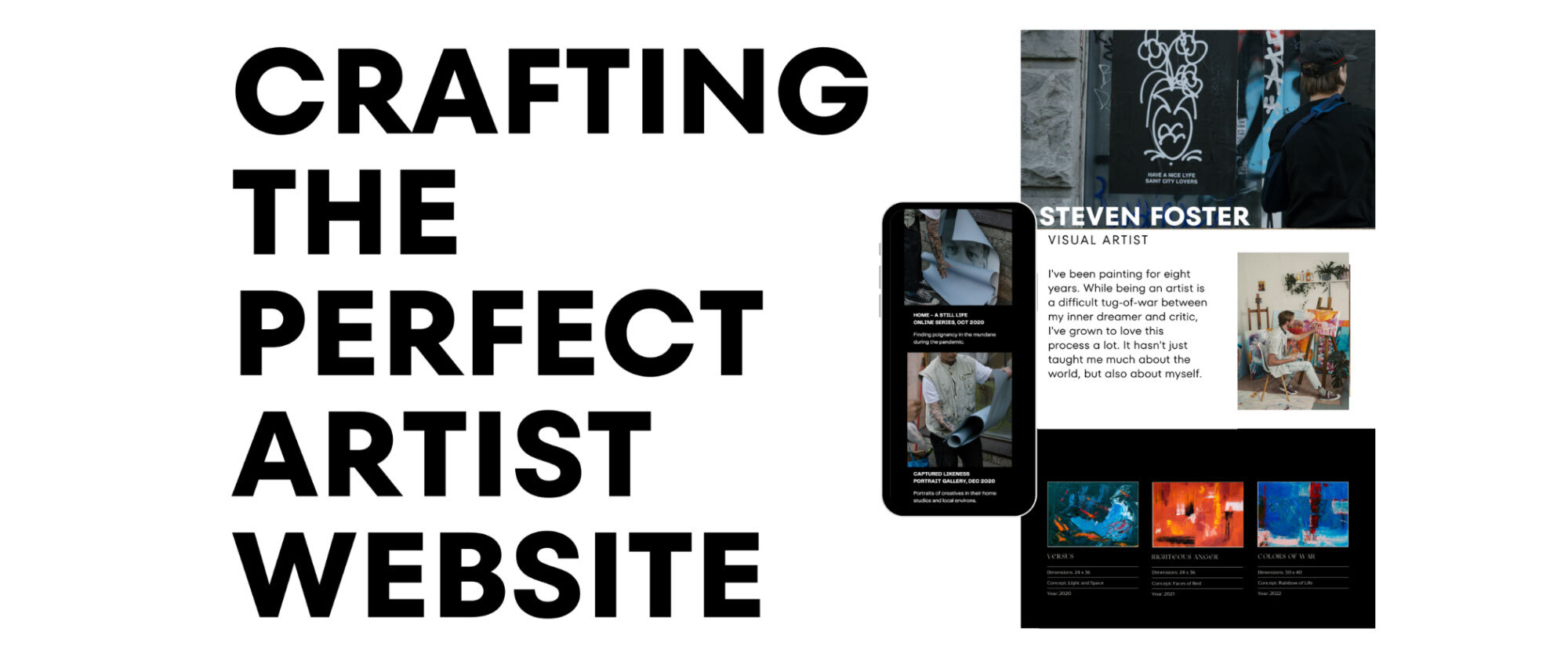
TL;DR – How to Create a Website for an Artist
Knowing how to create a website for an artist is essential in 2026. A professional website functions as a portfolio, career archive, and sales gateway. This guide explains how to create a website for an artist step by step, covering structure, platforms, costs, common mistakes, examples, and best practices for building a credible online presence as a visual artist.
Table of Contents
- What Is an Artist Website?
- Why Every Artist Needs a Website in 2026
- What Pages Should an Artist’s Website Include?
- Step-by-Step: How to Create a Website for an Artist
- Creating an Online Art Portfolio That Works
- Artist Website Examples and Patterns
- Best Platforms for Artist Websites
- Artist CV Integration and Professional Context
- Protecting Artwork Online
- Selling Art Through Your Website
- Common Mistakes to Avoid
- Costs and Long-Term Maintenance
- Key Takeaways
- FAQs
What Is an Artist Website – and Why Does How to Create a Website for an Artist Matter?
An artist’s website is a dedicated digital space where visual artists present their work, professional background, and contact details in a controlled environment. Unlike social platforms, an artist’s website offers permanence, clarity, and authority.
For artists learning how to create a website for an artist, the website becomes the anchor for everything else: portfolios, applications, exhibitions, and professional communication. It also plays a central role in creating an online art portfolio that can be shared without relying on third-party algorithms.
Why Every Artist Needs a Website in 2026 – and Why How to Create a Website for an Artist Is a Career-Defining Skill
In 2026, nearly every curator, gallery, collector, or residency panel begins research online. Artists without websites often appear incomplete, regardless of the quality of their work.
Learning how to create a website for an artist gives you:
- Full control over presentation
- A stable professional identity
- A centralised website setup for visual artists that institutions expect
Many conversations about professional visibility overlap with topics such as pricing, branding, and online presence. Platforms like Cosimo are purpose-built to support exactly this kind of artist-first career management, making it simpler than ever before to create a website for an artist.
What Pages Should an Artist’s Website Include? A Practical Guide to How to Create a Website for an Artist
A functional artist website prioritises clarity and hierarchy. Most professional artist websites include the following pages:
Home
A focused introduction to your practice, often featuring a single strong image and a concise description.

Portfolio
The core of creating an online art portfolio is presenting selected works rather than everything you have ever made. Cosimo’s Portfolio Builder helps you create a polished, professional showcase in minutes.
About / Artist Statement
This page supports viewers who want deeper insight into your creative motivations and influences. Cosimo’s CV & Artist Statement Tools can auto-generate a compelling statement using smart writing tools.
CV
A structured record of exhibitions, education, awards, and residencies.
Contact
Clear contact information that remains accessible across the site.
Artists researching how to build an artist website step by step often find that fewer pages, clearly organised, perform better than complex site structures.

Step-by-Step: How to Create a Website for an Artist
Breaking down how to create a website for an artist into practical steps makes the process far more manageable.
Step 1: Define Your Goal
Some artists prioritise exposure, others sales, applications, or teaching. Purpose shapes structure and content. Visit Cosimo’s About page to understand how the platform is designed around artist goals from day one.
Step 2: Curate Your Work
Curation is central to creating an online art portfolio. Select pieces that represent your current direction rather than your entire archive.
Step 3: Choose a Platform
Selecting the best website builder for artists is one of the most important decisions when learning how to create a website for an artist. Your platform shapes how your work is presented, how easily you can update it, and how scalable your website becomes as your career evolves.
When evaluating options, focus on three core factors:
1. Ease of Use
If you have limited technical experience, prioritise platforms that minimise setup complexity. Many artists delay building a website because they assume it requires coding, design skills, or technical maintenance. In reality, modern tools significantly reduce this barrier.
Some builders require you to choose templates, configure layouts, adjust typography, and manage hosting separately. Others simplify the process further.
For example, Cosimo’s Portfolio Builder allows artists to generate a professional website simply by completing a structured form. Instead of designing from scratch, artists provide key details – portfolio images, biography, CV information, pricing context – and the website structure is automatically generated in a format aligned with professional expectations.
This approach removes technical friction entirely and is particularly valuable for artists who want a credible online presence without spending weeks learning web design. It is one of the clearest practical answers to how to create a website for an artist with no technical background.
2. Design Flexibility
Different platforms offer varying levels of creative control.
- Website builders such as Squarespace provide curated templates that prioritise visual clarity and ease of use.
- Webflow offers more advanced design customisation but comes with a steeper learning curve.
- WordPress enables extensive flexibility through themes and plugins, though it requires greater technical involvement.
When exploring how to create a website for an artist, it is important to balance creative control with usability. A visually complex website is rarely more effective than a clear, structured one.
3. Scalability and Growth
Your website should grow with your practice. Consider whether you may want to:
- Sell artworks directly
- Offer limited editions or prints
- Collect email subscribers
- Add press coverage or exhibition archives
- Integrate secure transaction systems
Some platforms make these additions seamless. Others require rebuilding or adding multiple plugins.
Cosimo’s Sales Management combines portfolio presentation with built-in infrastructure aligned to artist workflows, meaning artists can manage both visibility and transactions without assembling separate tools – a critical consideration when thinking through how to create a website for an artist that is built to scale.
Hosted vs Self-Managed Platforms
Hosted builders include security, hosting, and updates within a subscription. They are suitable for artists who want simplicity and predictable costs.
Self-managed platforms provide deeper customisation but require domain setup, hosting management, and occasional technical troubleshooting.
Think of this decision as choosing between a fully serviced studio and a raw space you must manage yourself. Both can work – the right choice depends on your time, technical comfort, and long-term goals.
Ultimately, the best platform is the one that allows you to maintain clarity, professionalism, and consistency. For many artists in 2026, that means choosing solutions that reduce technical overhead while preserving credibility – a critical factor when refining how to create a website for an artist in a sustainable way. Explore Cosimo’s membership plans to find the right option for your stage of career.
Step 4: Structure Navigation
Menus should feel intuitive. Clean navigation supports effective artist website development steps.
Step 5: Optimise for Mobile
Mobile-friendly layouts are essential for modern website setups for visual artists.
Artist Website Launch Checklist: The Final Step in How to Create a Website for an Artist
Before publishing your site, review this final checklist. Many artists focus on design but overlook launch preparation when learning how to create a website for an artist professionally.

Technical Essentials
- Domain name secured
- SSL enabled (https active)
- Mobile responsiveness tested
- Navigation links working
- Contact form tested
Portfolio Quality
- Images optimised for fast loading
- Consistent formatting across artworks
- Titles, year, medium, and dimensions included
- Outdated or experimental work removed
Professional Credibility
- Artist statement uploaded
- CV updated and downloadable
- Contact information is clearly visible
- Social links added where relevant
Visibility Optimisation
- Meta title and description added
- Core keywords included naturally
- Basic analytics installed
- Website preview shared with a trusted peer
Completing this checklist ensures your website is not just live – it is credible. When refining how to create a website for an artist, launch quality often determines whether opportunities follow.

Creating an Online Art Portfolio That Works: The Heart of How to Create a Website for an Artist
Strong portfolio practices prioritise clarity over quantity. Each artwork page benefits from:
- Title
- Year
- Medium
- Dimensions
- Short contextual notes
High-quality images optimised for the web ensure fast load times and visual integrity. Many artists refine this process over time as their artist website evolves. Cosimo’s Portfolio Builder provides a clean, professional format that curators and collectors expect.
Discussions around presentation and pricing often intersect with portfolio structure. Use Cosimo’s Pricing Calculator to set fair, consistent prices that support your sales goals – another practical tool that complements knowing how to create a website for an artist effectively.
Artist Website Examples and Patterns: Learning How to Create a Website for an Artist from Real Professionals
Successful artist websites often share common traits:
- Minimalist layouts
- Consistent typography
- Strong visual hierarchy
- Clear separation between portfolio and biography
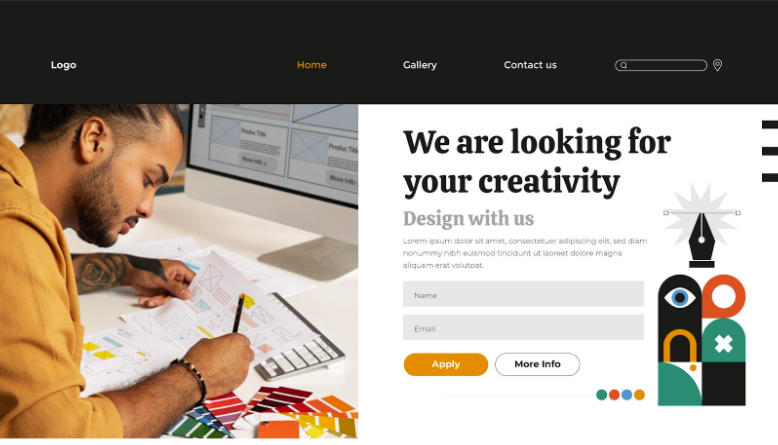
While styles vary, clarity remains consistent. Reviewing multiple artist website examples often reveals how restraint enhances professionalism, particularly for artists refining how to create a website for an artist that feels credible rather than promotional. Browse Cosimo’s artist community for real-world examples of professional artist websites built on the platform.
Best Platforms for Artist Websites: Comparing Your Options for How to Create a Website for an Artist
When deciding how to create a website for an artist, comparing platforms side by side makes the decision clearer. The right choice depends on technical confidence, time availability, and whether you plan to sell artwork directly.
Platform Comparison
| Platform | Best For | Technical Skill Required | E-Commerce | Level of Control | Ideal Artist Profile |
| Cosimo | Artists who want a professional website without technical setup | Very Low | Built-in | Structured and optimised | Emerging and mid-career artists who prioritise simplicity |
| Squarespace | Clean portfolio-focused sites | Low | Built-in | Template-based | Artists who want aesthetic control without coding |
| Webflow | Highly customised design | Medium–High | Requires configuration | High | Designers or technically confident artists |
| WordPress (Self-Hosted) | Full flexibility and scalability | Medium–High | Via plugins | Very High | Artists comfortable managing hosting and plugins |
For those exploring how to create a website for an artist in 2026, the primary decision is not advanced design complexity but removing technical friction. Platforms that reduce setup time often lead to faster visibility and stronger professional consistency.

Artist CV Integration and Professional Context: An Essential Element of How to Create a Website for an Artist
A professional website feels incomplete without a CV. Including a CV provides context for exhibitions, awards, and institutional relationships.
Some artists streamline this documentation process using Cosimo’s CV & Artist Statement Tools, which allow artworks to be linked directly to exhibitions and career milestones, reinforcing consistency across platforms.
The combination of portfolio and CV strengthens the artist’s website as a professional reference point – and is a key ingredient when working out how to create a website for an artist that impresses curators and residency panels at first glance.
Protecting Artwork Online: What to Know When Learning How to Create a Website for an Artist
Artists exploring how to create a website for an artist often worry about image misuse. Common protective measures include:
- Limiting image resolution
- Disabling right-click saving
- Including copyright notices
These steps help balance accessibility with protection while maintaining a professional presentation.
Selling Art Through Your Website: The Commercial Side of How to Create a Website for an Artist
Many artists hesitate to build e-commerce systems from scratch. Integrating dedicated platforms often simplifies logistics and reduces risk.
Cosimo’s Sales Management allows artists to maintain a professional website while managing sales securely and commission-free, aligning with best practices for sustainable artist website monetisation. This is one of the clearest practical advantages of using a dedicated platform when thinking about how to create a website for an artist that also earns.
For artists wanting to grow their skills alongside their website, Cosimo Academy offers expert-led lessons on running a successful art career, covering everything from pricing to professional presentation.
Common Mistakes to Avoid When Figuring Out How to Create a Website for an Artist
Patterns frequently appear in the beginner guide to artist websites category:
- Overloading pages with too many works
- Mixing personal and professional content
- Inconsistent image quality
- Hidden contact details
Avoiding these issues improves usability and professionalism when refining how to create a website for an artist. The Cosimo community is a great place to get peer feedback before and after launch.
Costs and Long-Term Maintenance: Budgeting for How to Create a Website for an Artist
Artists frequently ask how much it costs to create an artist website. Typical costs include:
- Domain registration: $10–20/year
- Hosting or builder subscription: $12–40/month
- Optional templates or plugins
Overall, the cost of a professional artist website remains accessible for most artists and scales gradually over time. Cosimo’s membership plans are structured to support artists at every career stage, from emerging talent to established practitioners.
Key Takeaways: Everything You Need to Know About How to Create a Website for an Artist
- Learning how to create a website for an artist is essential in 2026
- A focused artist website supports credibility and visibility
- Clear structure matters more than complex design
- Costs remain manageable and predictable
- Cosimo offers an all-in-one solution – portfolio, sales, CV tools, and community – purpose-built for artists.
FAQs About How to Create a Website for an Artist
Modern builders and artist-focused platforms like Cosimo’s Portfolio Builder reduce technical barriers significantly. How to create a website for an artist without any coding knowledge is now genuinely achievable for anyone.
Define goals, curate work, select a platform, structure pages clearly, and optimise for mobile. The full breakdown of how to create a website for an artist, step by step, is covered in detail above.
Limit selections, maintain consistent formatting, and provide context for each artwork. Cosimo’s Portfolio Builder automates much of this process, making how to create a website for an artist with a polished, professional result far simpler.
Most artists spend between $150–500 annually, depending on tools and hosting. Explore Cosimo’s membership plans for transparent, artist-friendly pricing options.